Junke Zhao

Ambient InfoHub

An interactive, responsive information hub built with spatial computing for the home of CMU's School of Architecture and School of Design.

Team
Junke Zhao
Na Eun Kim
Sharon Fung
Duration
Nov 2023
Contribution
Concept Design
User Experiment Study
Technical Drawing

Concept Origin

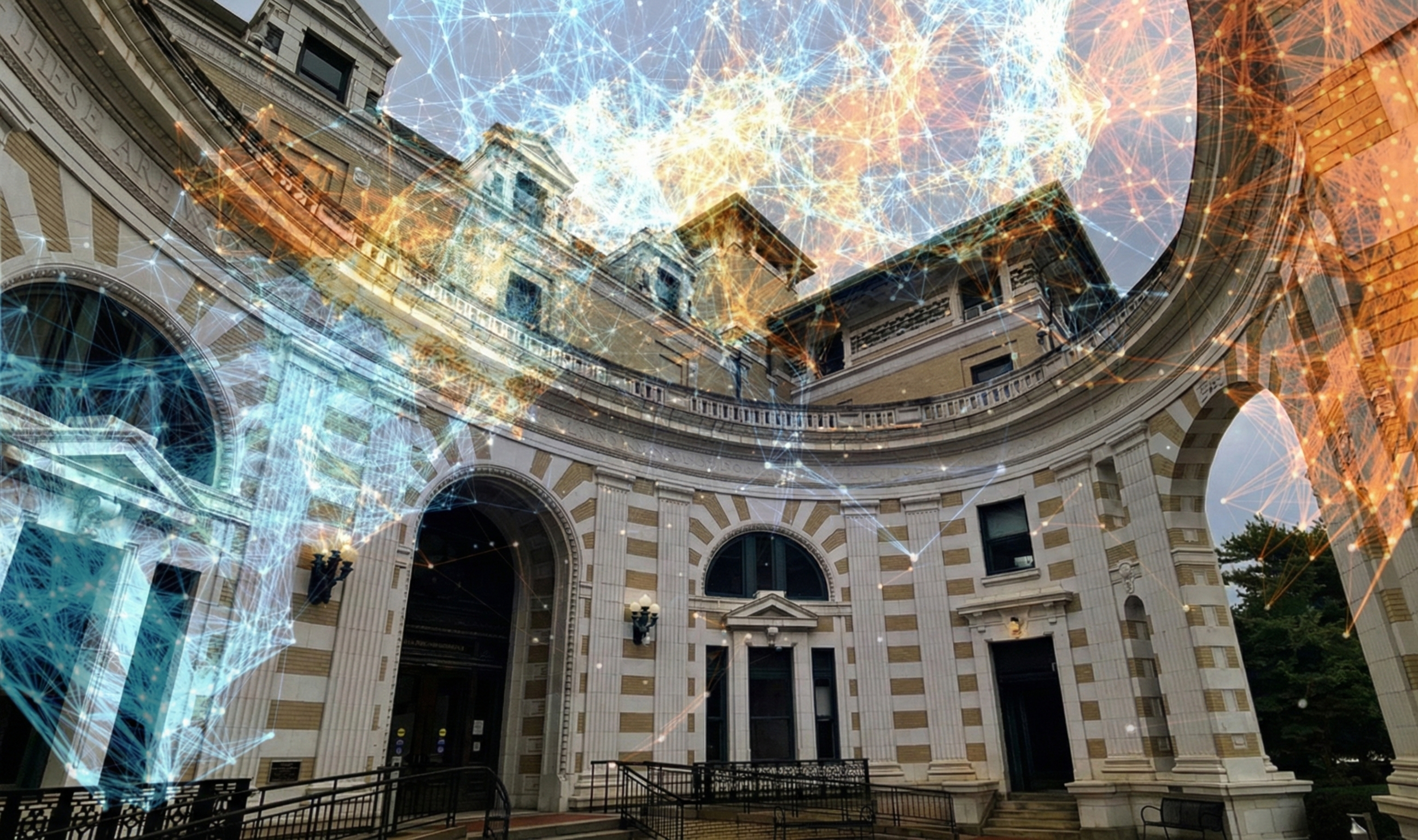
Our goal is to organize information that is both relevant and meaningful, so that it fosters daily gatherings and encounters. Since Margaret Morrison Carnegie Hall (MMCH) serves as a campus corridor, connecting students within a single school as well as across different schools, we designed with that dynamic in mind. Ultimately, our vision is to establish MMCH as a spatial information hub that promotes cross-disciplinary collaboration between Design and Architecture and builds stronger connections among students.

We aim to activate the first floor of MMCH as an information hub where information is transferred, shared, and reshaped through the interactions of students, professors, and visitors — past, present, and future. How can we connect the wider university to the rich history of the School of Design, the School of Architecture, and the original women's college?

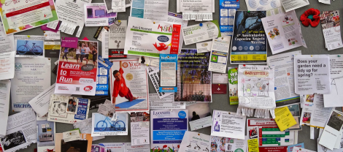
Overflow of Information
1st Floor as Campus Connector
Overflow of Information (e.g., emails)
MMCH 1st floor as CMU's Campus Connector
Cross-collaboration of SoD & SoA
Student Disconnect in School
Cross-collaboration of SoD & SoA
Student Disconnect in School

User Scenario

Information Recommendation

Our system enhances personalized interaction through a series of dynamic touchpoints:


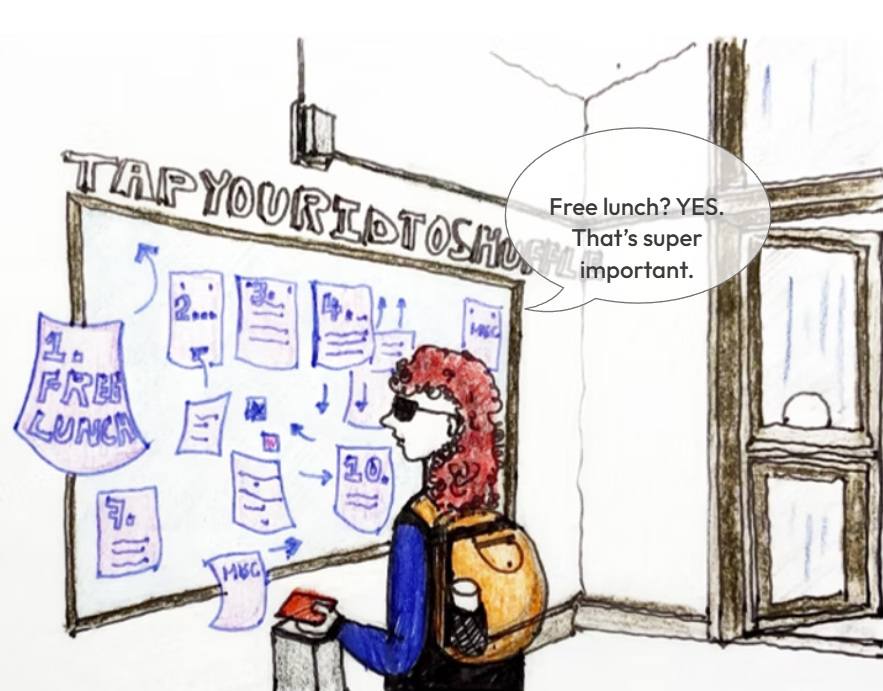
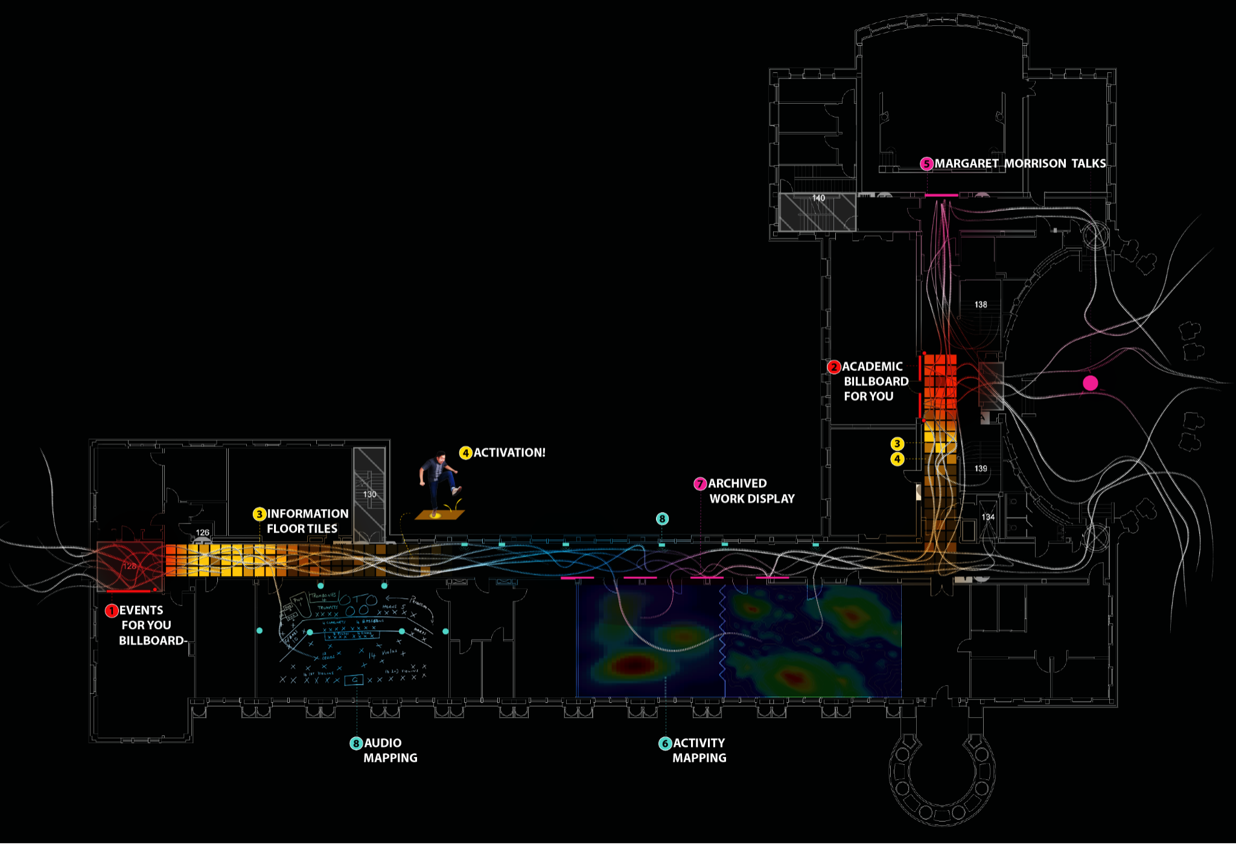
North Vestibule Interaction: Upon entering from the north, students can scan their ID cards in the vestibule. This action activates a billboard that displays surveys, events, and other relevant information. By analyzing your interests, the system reshuffles the billboard content, prioritizing items that align with your preferences.


Rotunda Billboard: At the rotunda entrance, the ID-activated billboard caters specifically to graduate students and professors. It suggests connections with individuals who share similar research or design interests, fostering collaboration across the Schools of Architecture (SoA) and Design (SoD).


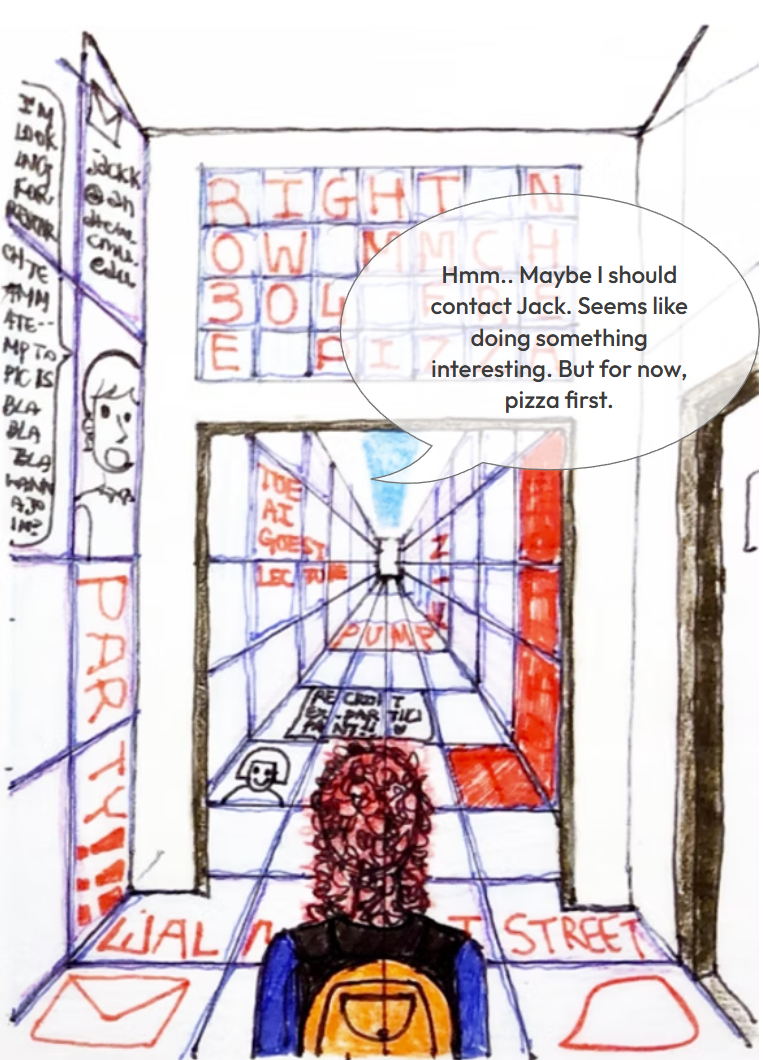
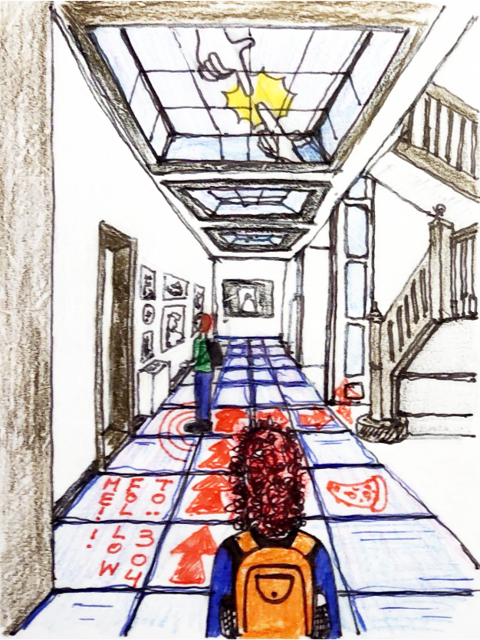
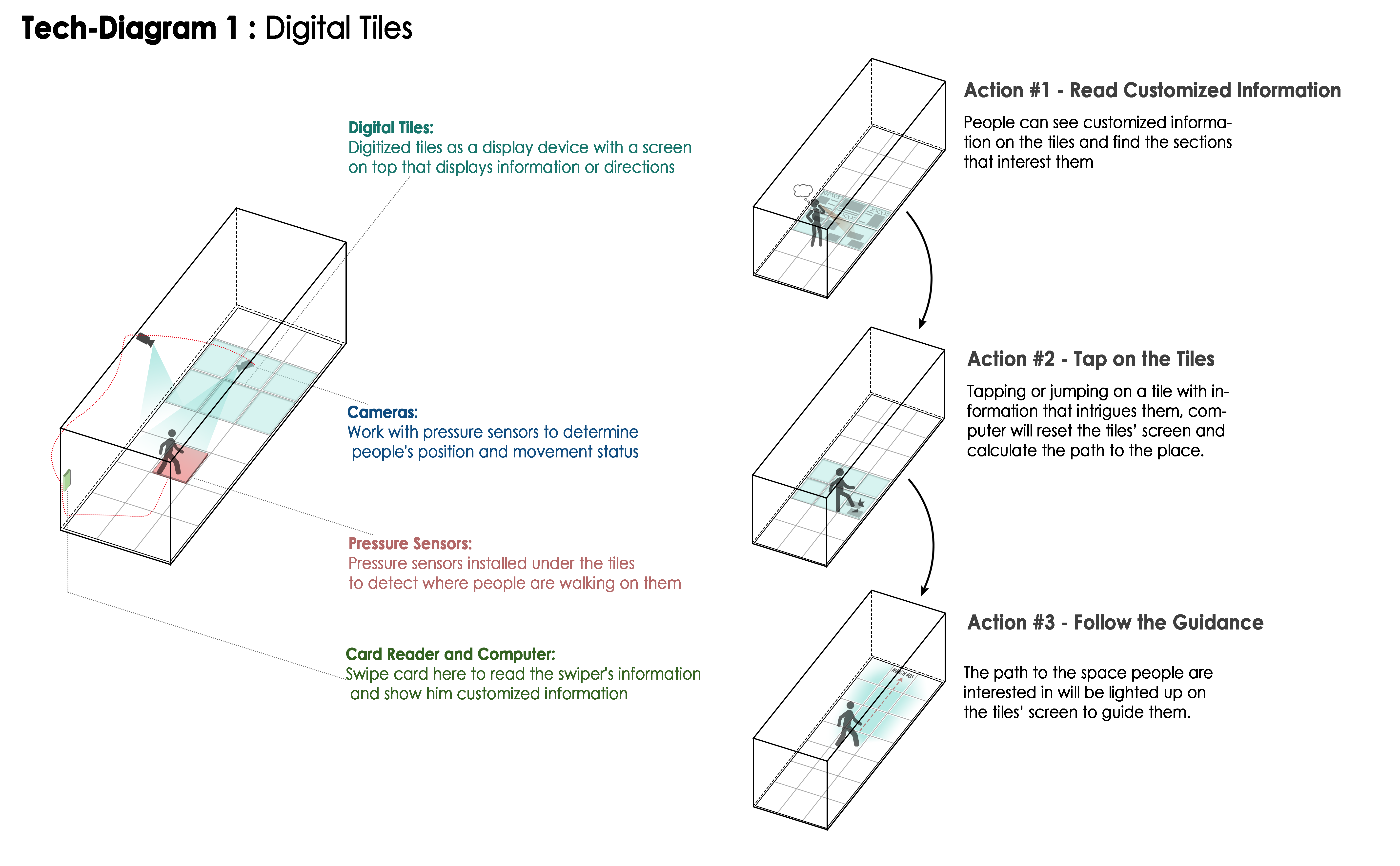
Interactive Corridor Floor Tiles: As you walk through the corridor, floor tiles present information hierarchically, starting with the most relevant to you. This includes events, plans, surveys, and projects displayed in sync with the billboard.


Engaging with Tiles: By tapping or stepping on a tile that intrigues you, the system responds by resetting the displayed information and illuminating a path to the relevant professor's office or student group's classroom, enhancing accessibility and engagement.

Information Exhibition

The exhibition encourages exploration without a fixed order, with content tied to specific locations, offering an engaging and dynamic experience:


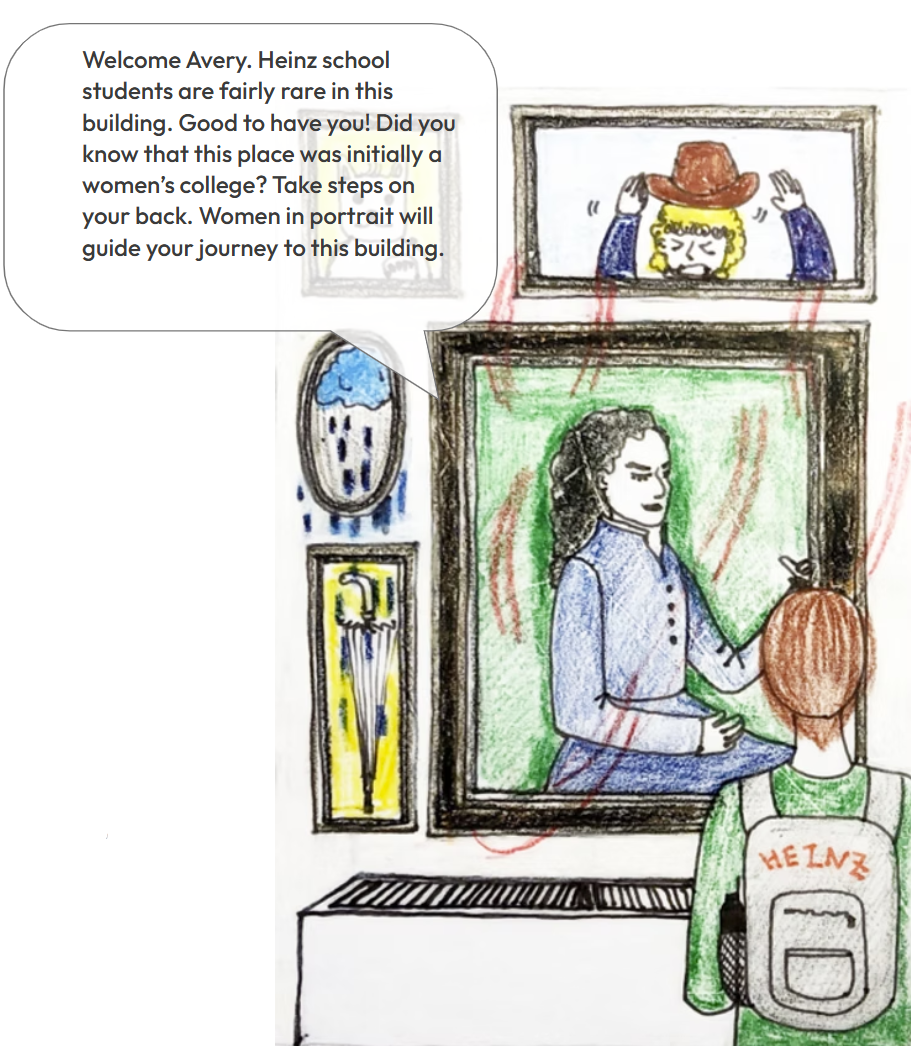
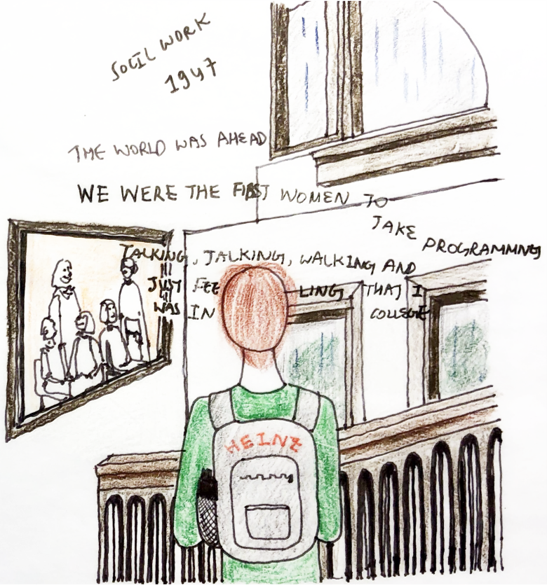
Historical Portraits: Outside Room 103, five portraits of Margaret Morrison come to life. They blink and speak, sharing stories about the history of the building and its legacy as a women's college when visitors approach.


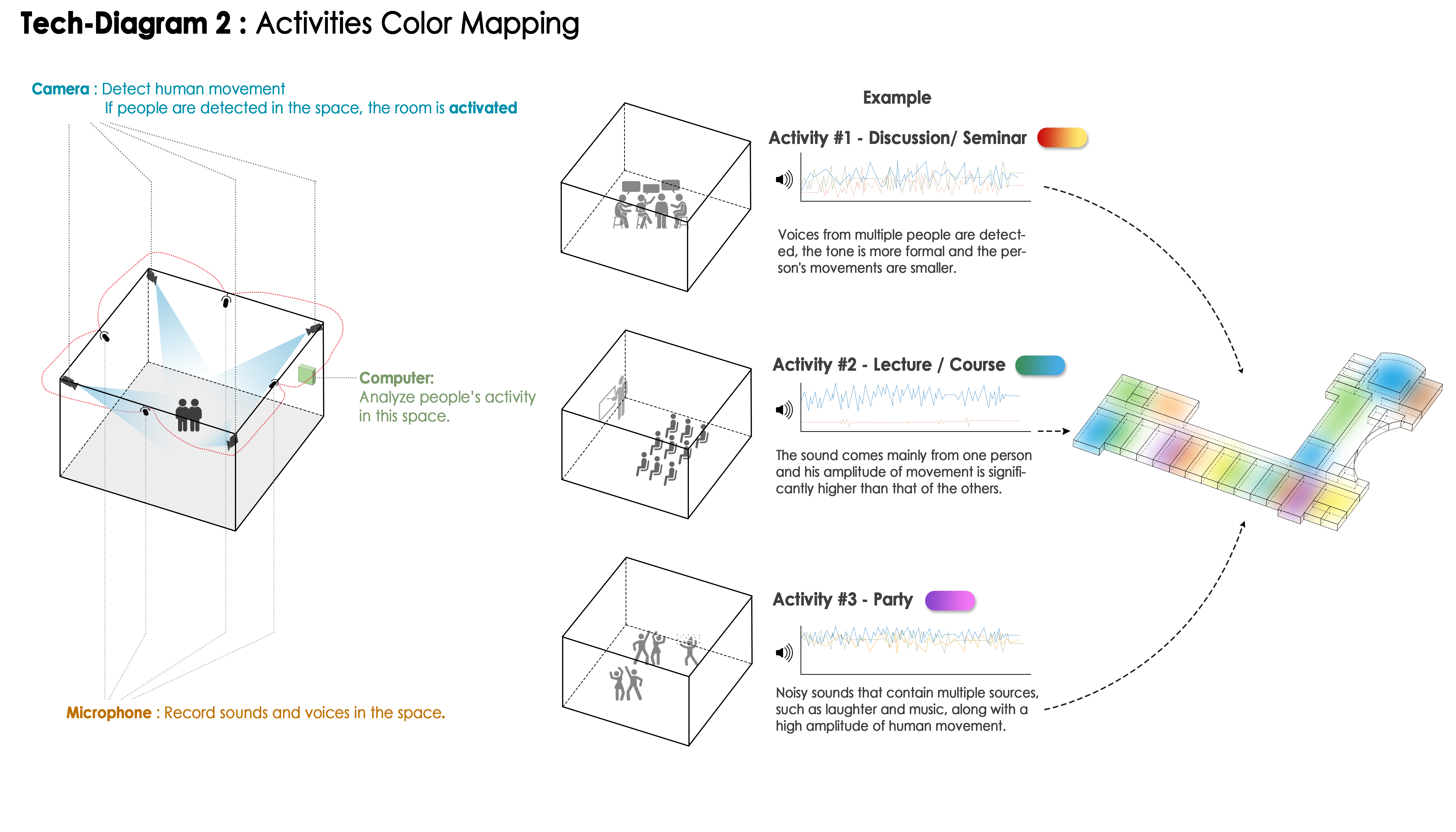
Activity Mapping: Infrared cameras and high-definition microphones enable a color-mapping activity. This system translates classroom activities onto mobile devices, allowing students to check who is present or what is happening in a space while on the go.


Archival Billboards: The remaining billboards on the first floor offer access to the archives of past works. These digital displays provide a curated glimpse into the building's creative history.


Interactive Music Playback: The music practice rooms log the sessions of different groups. Later, the hallway can replay these audio recordings, creating a soundscape that reflects the building's vibrant musical activities.
User Storyboard

Story 1 - Avery: Information Exhibition

Story 1-1

Scene 1

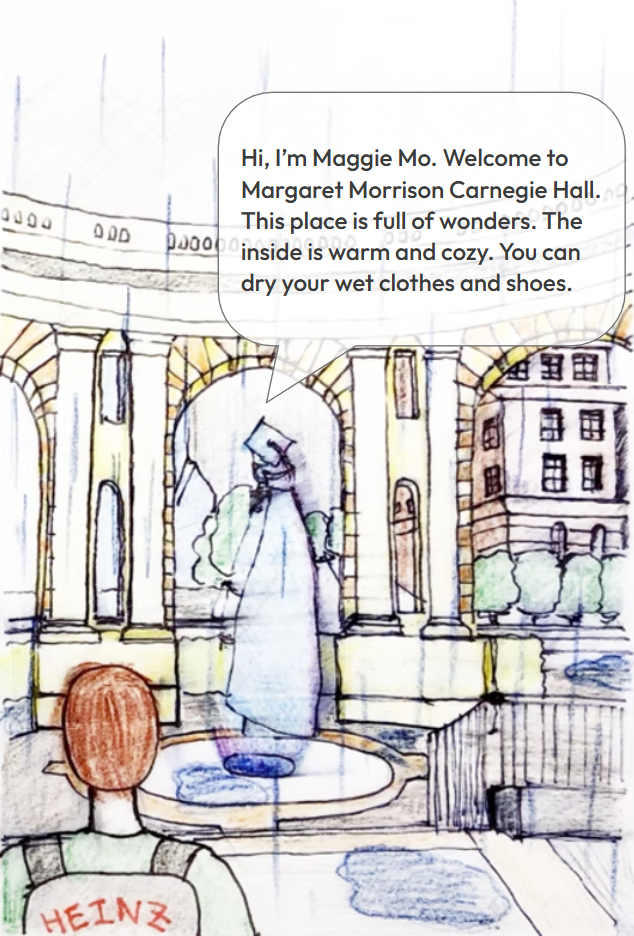
Heinz College student Avery was caught in heavy rain while heading home after studying at Hunt Library. With no choice but to wait it out, Avery spotted the MMCH building and ducked under its canopy. Then, suddenly, a hologram appeared! The woman in the hologram introduced herself as Maggie Mo and suggested that Avery come inside to dry off.

Story 1-2

Scene 2

Once inside, a portrait on the wall suddenly began to speak! The woman in the portrait was the same person Avery had met outside — Maggie Mo. And she was not alone: the other oil paintings in their frames were moving and talking too. Maggie Mo suggested that Avery take the stairs at the back, promising that the women in the portraits would guide the way.

Story 1-3

Scene 3

With every step Avery took, the portraits recounted their own experiences in the building. Their stories formed holographic letters that floated through the air in front of Avery. It was a surreal experience — meeting people from the past and hearing them in their own voices. Their passion for learning and their academic curiosity gave Avery a great deal to think about.

Story 2 - Alex: Information Recommendation

Story 2-1

Scene 1

Alex is a design school student. It's only 11:00 a.m., and Alex has already received 15 emails from school — but that's okay. The MMCH building sorts through all of those emails and notifications for Alex during the walk through the building. Alex taps a student ID card on the scanner in front of the billboard.

Story 2-2

Scene 2

As soon as Alex taps the card, the papers on the billboard begin to shuffle, reordering themselves around Alex's interests and preferences. Free lunch? Yes — that one is important. As Alex enters the hallway, the connected LED floor tiles pick up the same information and news that appeared on the billboard.

Story 2-3

Scene 3

The most important of them is a free pizza event in Room 304. The tiles draw arrows that guide Alex to MMCH 304. Alex finds this especially convenient at the start of a new semester — no more wandering the halls looking for the right classroom.

Spatial Flow Diagram

Spatial Flow Diagram

Technology Diagram

Technology Diagram
Technical Diagram 1: How to interact with Digital Tiles
Technology Diagram
Technical Diagram 2: Activities color mapping